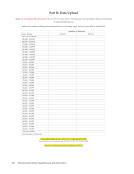
129 ARL Annual Salary Survey 2015–2016 ASSOCIATION OF RESEARCH LIBRARIES 2 professional without experience, not necessarily the lowest professional salary paid. In reporting the beginning salary, please use a figure that is actually used or likely to be used for entry-level librarians hired by your library. 8. Salaries should be reported for both full-time and part-time professional positions. However, salaries for part-time positions should be converted to their full-time equivalents before reporting do not report the actual part-time salary paid. 9. Salaries should normally be reported on a 12-month basis. If an appointment is for 9 or 10 months at the option of the employee, the actual salary paid should be increased to its 12-month equivalent. However, if appointments of less than 12 months are required by the employer, report the actual salary paid. 10. The salaries for all professional positions should be included, regardless of whether the salaries come from regular library budget funds or from special funds such as research grants. 11. The salary figures should be straight gross salary figures. Do not include fringe benefits. 12. Provide explanatory footnotes to the reported figures, when necessary. Footnotes will be included in the published survey, where appropriate. Part II: Data Upload -Individual Data (Excel spreadsheet in CSV format) 1. Part II of this survey is a CSV file, where you will indicate the number of filled professional positions in each salary range for fiscal years 2014-15 and 2015-16. We are using online validation. The online validation requires that Part II of your submission, the Excel spreadsheet portion, be in CSV format. Your online submission will be successful only if the spreadsheet is in CSV format. 2. Obtain the CSV file. These instructions assume that you have Microsoft Excel available for use and that you know how to save a file in CSV format using Excel. (This is common functionality in many spreadsheet and database programs). The template CSV file is available at: http://www.arlstatistics.org/About/Mailings/ss_2015-16. This is a generic, blank form that can hold your data. The file’s name is “sal15nuxxxx.xls” open the file and save it to your own computer by choosing “Save As” under the File menu. When saving the file, utilize ARL as the prefix, use 15 to designate the year (2015-16), and change the “xxxx” in its name to your ARL institution code number, e.g., “ARL159975.doc.” You can find your ARL institution code at: http://www.arlstatistics.org/about/instno
Help